
Complete Guide to Image Compression Without Quality Loss

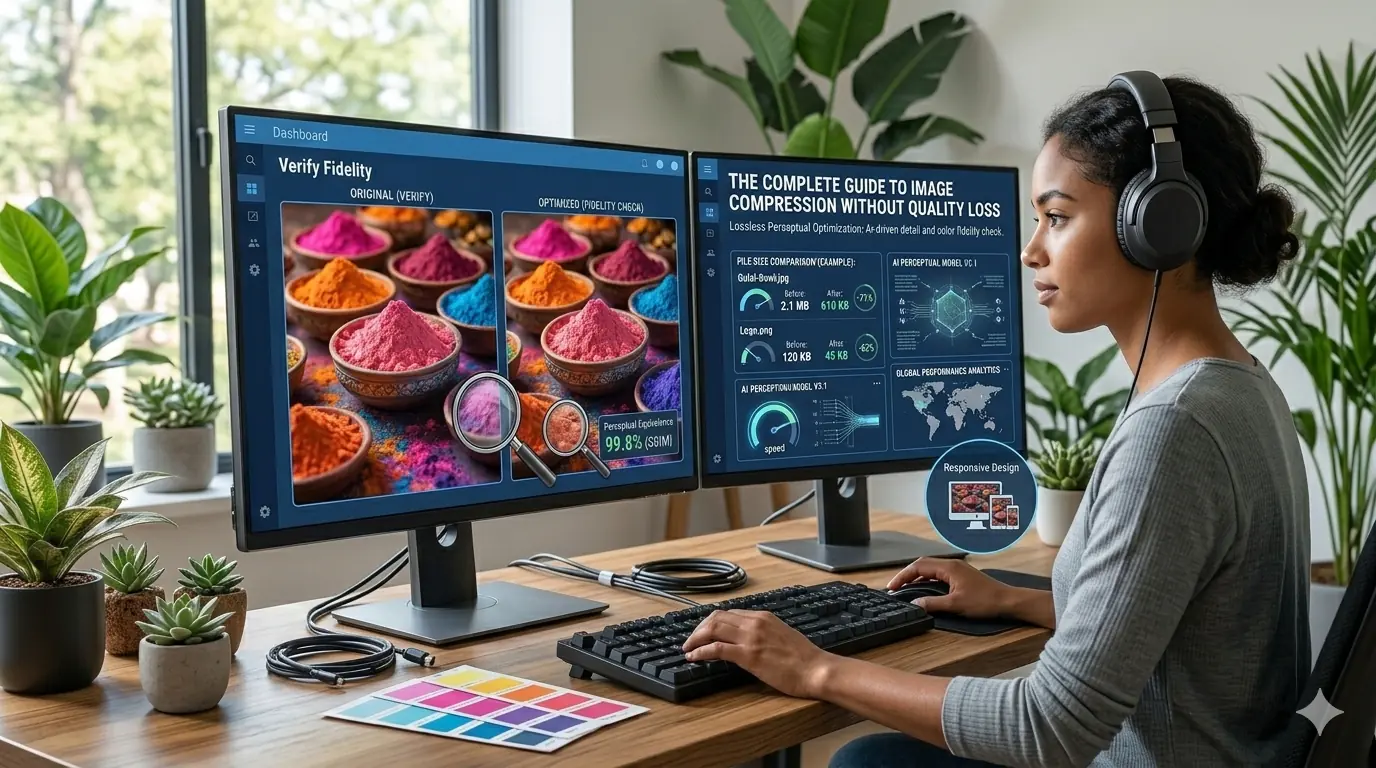
Complete Guide to Image Compression Without Quality Loss (2026)
Images typically account for more than half of a webpage's total size. Large, unoptimised images increase load times, consume bandwidth on every page view, and directly harm the performance metrics that determine both user experience and search rankings. The good news is that the file size problem is largely solvable: correctly compressed images routinely deliver 50–80% smaller files with no visible quality difference to the end user.
TL;DR — Key Takeaways
- Image compression reduces file sizes by 50–80% without visible quality loss when implemented correctly
- Lossless compression preserves 100% of image data — ideal for logos, UI elements, and graphics
- WebP and AVIF outperform JPEG and PNG for web delivery in 2026 — there is no compatibility reason to default to JPEG
- Browser-based compression keeps files completely private — nothing reaches an external server
- Compressing images before uploading is the single highest-ROI web performance habit for any site
- A single blog page with unoptimised images can go from 8 MB to 2 MB — a 75% reduction — with correct compression
Why Image Compression Matters
According to the HTTP Archive Web Almanac, images consistently represent the largest single contributor to page weight across the web — averaging over 900 KB per page on desktop in recent years. Effective compression produces faster page load speeds, reduced bandwidth usage, lower hosting costs, and measurably better Core Web Vitals scores.
The performance consequences reach SEO directly. Largest Contentful Paint (LCP) — Google's primary measure of perceived page speed — is most often determined by the hero image. A hero image that is 1.2 MB as an unoptimised PNG may load in 6 seconds on a mobile connection. The same image compressed to WebP at quality 82 loads in under 1.5 seconds. That difference moves a page from "Poor" to "Good" on LCP without changing a single line of application code. The full mechanism linking image compression to Core Web Vitals scores and ranking signals is covered in the dedicated guide.
What Is Image Compression?
Image compression is the process of reducing the file size of an image while maintaining acceptable visual quality. Compression works by removing redundant or unnecessary data from the image file — repeated patterns stored more efficiently, colour palettes reduced where imperceptible, metadata stripped, and encoding optimised at the byte level.
The two fundamental approaches are lossy and lossless compression, and choosing between them correctly is the first decision in any image optimisation workflow.
Lossy vs Lossless Compression
Lossy Compression
Lossy compression reduces file size by permanently removing image data that human visual perception is least sensitive to — subtle colour transitions, fine gradients between similar tones, high-frequency detail invisible at normal viewing distances. This approach produces the smallest files but introduces irreversible quality reduction if compression is set too aggressively.
Formats that use lossy compression: JPG, WebP (lossy mode), AVIF (lossy mode). Lossy compression is the correct choice for photographs, hero images, product photography, and any complex visual content where minor quality reduction at standard viewing size is imperceptible.
Lossless Compression
Lossless compression reduces file size without permanently removing any image data. The decompressed output is pixel-identical to the original. File sizes are larger than lossy equivalents, but every pixel is preserved exactly.
Formats that support lossless compression: PNG, WebP (lossless mode), AVIF (lossless mode). Lossless compression is the correct choice for logos, icons, UI elements, screenshots with text, and any asset where sharp edges, flat colours, or text legibility must be preserved precisely.
The practical summary: photographs go lossy, graphics and transparency assets go lossless. Applying lossy compression to a logo introduces visible edge artefacts. Applying lossless compression to a hero photograph produces an unnecessarily large file. Both are among the most consistently damaging image format errors found in real-world projects.
How Compression Reduces File Size Without Visible Quality Loss
Four techniques combine in modern image formats to achieve significant size reduction:
Data deduplication — repeated pixel patterns are stored once and referenced rather than recorded individually, reducing the raw data footprint for images with uniform regions.
Colour palette reduction — images may contain fewer distinct colour values while remaining visually indistinguishable, particularly effective for flat-colour graphics, UI elements, and illustrations.
Encoding optimisation — advanced algorithms encode pixel data more compactly by taking advantage of spatial relationships between adjacent pixels. AVIF's AV1-derived encoder is substantially more sophisticated than WebP's, which is substantially more sophisticated than JPEG's — which directly explains the compression efficiency hierarchy.
Metadata removal — images routinely contain EXIF metadata including camera model, GPS coordinates, shooting settings, and editing software history. This data serves no purpose for web delivery and can be stripped entirely, saving 10–25 KB per image with zero visual impact.
Applied together, these techniques routinely produce 50–80% smaller files than the unoptimised original at visually equivalent quality.
Format Selection: The Single Most Impactful Decision
Choosing the right format before compressing is more impactful than any compression setting adjustment. The table below summarises the formats that matter for web delivery in 2026. For a detailed breakdown of when to use each format — including decision trees for different image types and website contexts — the image format comparison guide covers JPG, PNG, WebP, and AVIF in full.
| Format | Compression Type | Transparency | Best For | File Size vs JPEG |
|---|---|---|---|---|
| JPEG | Lossy only | ❌ | Photography, legacy contexts | Baseline |
| PNG | Lossless only | ✅ | Logos, UI elements, source files | 20–50% larger |
| WebP | Lossy + Lossless | ✅ | All web-delivered images | ~30% smaller |
| AVIF | Lossy + Lossless | ✅ | Maximum compression, HDR content | ~50% smaller |
JPEG
JPEG's lossy compression algorithm is optimised for photographic content — it discards visual information that cameras capture but human vision does not prioritise at normal viewing distances. The result is small files for photographs at the cost of no transparency support and irreversible quality reduction. For new web projects in 2026, WebP at equivalent quality setting produces smaller files with no compatibility concerns — JPEG's primary advantage is legacy system support.
PNG
PNG's lossless compression preserves every pixel identically. For logos, icons, screenshots with text, and UI elements where edge sharpness and colour precision matter, PNG has been the reliable standard. Its practical limitation for web delivery is file size: PNG photographs can be 3–5× the size of equivalent WebP at similar visual quality. PNG remains appropriate for source files, design distribution, and assets destined for non-web workflows.
WebP
WebP replaces both JPEG and PNG for web-delivered images with a single format at smaller file sizes. Lossy WebP at quality 80 produces files 25–35% smaller than equivalent JPEG. Lossless WebP produces files approximately 26% smaller than equivalent PNG at pixel-identical quality. Browser support covers approximately 97% of global web traffic. For the step-by-step process of converting existing PNG and JPEG libraries to WebP — quality settings, lossless vs lossy selection, and <picture> element implementation — the PNG to WebP converter guide covers the full workflow.
AVIF
AVIF's AV1-derived encoder achieves approximately 50% smaller files than JPEG and 20–50% smaller than WebP at equivalent visual quality. It supports HDR and 10-bit colour depth, making it the superior format for product photography displayed on HDR screens and colour-accurate editorial images. Browser support reached approximately 93–95% of global traffic in 2026 across Chrome, Firefox, Safari, and Edge. For a direct technical comparison of AVIF and WebP — including encode time, lossless performance, and when each is the right choice — the AVIF vs WebP guide provides the full breakdown.
Compression Techniques That Preserve Quality
Resize Before Compressing
Resizing is often more impactful than the compression step itself. A 4000 × 3000 px photograph uploaded to a blog that displays images at 800 px wide carries approximately 20× more pixel data than needed. Resize images to their maximum display dimensions before applying any compression. A 4000 px source image resized to 800 px before WebP conversion produces a substantially smaller file than a 4000 px WebP at the same quality setting.
Match Quality Settings to Image Type
Quality settings interact differently with different image content. Photographic images tolerate lossy compression well at quality 75–85. Graphics, text overlays, and UI elements compress more accurately in lossless mode regardless of format. Applying lossy compression to text-containing screenshots at quality below 85 typically introduces visible blurring at character edges. The complete compression guide with quality targets by use case provides specific quality settings per content type.
Remove Metadata
Stripping EXIF and other embedded metadata reduces file size by 10–25 KB per image with no visible impact. Most compression tools offer this as an automatic step. For large image libraries, metadata removal alone produces meaningful cumulative file size reductions.
Use Browser-Based Compression for Privacy-Sensitive Assets
Some workflows involve client assets, proprietary product visuals, or compliance-governed files that should not be transmitted to external servers during the compression process. Whether client-side image compression is safe for sensitive assets depends entirely on how the tool processes files — specifically whether compression occurs in local browser memory or involves a server upload. MeloTools processes all compression in the browser using local memory, with zero server uploads and zero file storage.
How Developers Implement Compression in Production
Build Pipeline Optimisation
Image compression during the build process using tools such as sharp, imagemin, or framework-native plugins (Next.js Image component, Nuxt Image, Astro's built-in optimisation) ensures every image is optimised consistently at deployment without manual per-image effort. The tradeoff is build time, particularly for AVIF encoding at high quality settings — a consideration for large image libraries.
CDN-Based Image Optimisation
Services like Cloudflare Images, Imgix, and Cloudinary deliver AVIF to supported browsers and WebP as fallback from a single source URL, applying format conversion, quality compression, and responsive resizing dynamically at the CDN edge. This approach eliminates per-image manual work and ensures format delivery is always matched to browser capability without code changes.
Browser-Based Compression Before Upload
For manual workflows — content teams, freelancers, agencies managing client sites — compressing images in the browser before uploading to a CMS ensures no unoptimised file ever reaches the server. MeloTools supports this workflow across PNG, JPG, WebP, and AVIF with adjustable quality settings, batch processing, and Core Web Vitals presets, entirely in the browser with no account required.
Best Practices for Consistent Image Optimisation
Implement lazy loading correctly — use loading="lazy" on all below-the-fold images to defer loading until the image approaches the viewport. Never apply lazy loading to hero images or the LCP element — doing so forces the browser to delay loading the most important image on the page, directly harming LCP scores. The complete guide to lazy loading images covers correct implementation, the fetchpriority attribute for above-fold images, and the most common lazy loading mistakes found in production.
Implement responsive images — use srcset and sizes attributes to serve different image dimensions based on viewport width, preventing mobile visitors from downloading desktop-resolution images. Responsive images with srcset and sizes explains the syntax and decision logic in full.
Compress before uploading — establish the habit of compressing every image before it enters the CMS. A single unoptimised PNG uploaded to a CMS is often permanently cached by CDNs and served to every visitor until the asset is manually replaced. Compressing at the point of creation prevents the problem rather than requiring later remediation.
Audit existing libraries — PageSpeed Insights and Lighthouse provide per-image recommendations with exact KB savings estimates for the "Serve images in next-gen formats" and "Efficiently encode images" audit items. These produce a direct prioritisation list for retroactive optimisation.
Understand how format decisions affect SEO — image compression reduces page weight and improves LCP, but the connection between image optimisation choices and search ranking signals runs deeper than file size alone. The full case for how image optimisation affects SEO and ranking signals in 2026 — including crawl efficiency, mobile usability, and page experience scores — is covered in detail there.
Common Mistakes That Undermine Compression Gains
Uploading full-resolution source files — a 24 MP camera image uploaded directly to a blog post wastes bandwidth on every page load regardless of format. Resize to display dimensions first.
Using PNG for photography — PNG is lossless and produces large files for photographic content. A 1.2 MB PNG hero photograph compressed to WebP lossy at quality 82 typically produces a 280–380 KB file. The savings are immediate and substantial.
Treating all images the same — logos need lossless compression; photographs need lossy. A blanket quality setting applied across an entire image library will over-compress some assets and under-compress others.
Skipping post-compression testing — always open compressed images at full size before publishing. Compression artefacts in product photography or logos are visible to visitors and reflect negatively on brand quality perception.
Real-World Compression Results
A blog page containing several unoptimised images illustrates the cumulative impact:
| Asset | Before | After (WebP) | Reduction |
|---|---|---|---|
| Hero image (PNG) | 1.8 MB | 420 KB | −77% |
| 3 × inline illustrations (PNG) | 1.2 MB | 310 KB | −74% |
| 4 × thumbnails (JPG) | 560 KB | 195 KB | −65% |
| Logo (PNG) | 48 KB | 35 KB | −27% |
| Total | ~3.6 MB | ~960 KB | −73% |
A page at 3.6 MB image payload with a 6-second load time drops to approximately 1 MB and under 2 seconds after compression. Core Web Vitals move from "Poor" to "Good". Lighthouse score improves by 20–35 points. These are consistent, reproducible results — not exceptional cases.
Frequently Asked Questions
What is the difference between lossy and lossless compression?
Lossy compression permanently removes some image data to achieve smaller file sizes — ideal for photography where minor quality reduction is imperceptible. Lossless compression reduces file size without removing any data, preserving every pixel identically — ideal for logos, UI elements, and graphics where pixel accuracy matters.
Which image format provides the best compression without quality loss?
AVIF currently delivers the best lossless and lossy compression efficiency of any widely supported format, producing files approximately 50% smaller than JPEG at equivalent quality. WebP is the reliable second choice, delivering approximately 30% smaller files than JPEG with near-universal browser support. For most web projects in 2026, WebP is the practical default and AVIF is the performance-maximising upgrade for high-traffic pages.
How much can image compression reduce file size?
Compression typically reduces image file sizes by 50–80% depending on format, content type, and quality settings. A well-optimised page using WebP or AVIF with metadata removal, correct resizing, and appropriate quality settings routinely reduces total image payload from several megabytes to under 1 MB with no visible quality difference.
Is it safe to compress images in the browser?
Yes — browser-based compression processes images entirely in local memory, meaning files never leave the device. This makes them safe for client assets, proprietary designs, and compliance-governed files. MeloTools uses this approach exclusively — all compression runs in the browser with zero server uploads and zero file storage.
Does image compression affect SEO?
Yes, directly. Image compression reduces page weight, which improves Largest Contentful Paint (LCP) — one of Google's three Core Web Vitals ranking signals. Faster LCP correlates with higher search rankings, lower bounce rates, and better engagement metrics. Compressing the LCP element specifically is one of the most direct, measurable SEO improvements available on most websites.
Frequently Asked Questions
Is it really possible to compress images without losing quality?
Yes — lossless compression reduces file size by reorganising image data more efficiently without discarding any visual content. The output image is pixel-identical to the original. Lossless compression typically achieves 10–30% file size reduction. For larger reductions, lossy compression at a carefully chosen quality setting (typically 75–85 for WebP) produces results that are visually indistinguishable at normal viewing sizes while achieving 50–80% file size reduction.
What is the difference between lossy and lossless image compression?
Lossless compression reduces file size without removing any image data — the original image can be perfectly reconstructed from the compressed version. It is best for logos, screenshots, and UI elements where pixel accuracy matters. Lossy compression achieves greater size reduction by permanently discarding image data that human perception is least sensitive to. It is best for photographs and complex images where minor quality reduction at normal viewing sizes is not perceptible.
Which image format produces the smallest file size for web use?
AVIF produces the smallest file sizes at equivalent visual quality — typically 50% smaller than JPEG and 20–50% smaller than WebP. WebP is the recommended default for all web images in 2026, with AVIF as the upgrade for performance-critical pages such as hero images and product galleries. JPEG and PNG are appropriate for legacy compatibility contexts but should not be the primary web delivery formats for new projects.
Is it safe to compress images in the browser?
Yes — browser-based compression tools process images entirely in local memory, meaning files never leave the device. MeloTools uses this approach exclusively: all compression runs in the browser with zero server uploads and zero file storage. This makes it safe for client assets, proprietary designs, and compliance-governed files where data must not leave the user's environment.
Does image compression affect SEO?
Yes, directly. Image compression reduces page weight, which improves Largest Contentful Paint (LCP) — one of Google's three Core Web Vitals ranking signals. A single blog page with unoptimised images can go from 8 MB to 2 MB with correct compression, reducing load time from 6 seconds to 2 seconds. Faster LCP scores correlate with higher search rankings, lower bounce rates, and better engagement metrics across desktop and mobile.
How much file size reduction can I realistically expect from image compression?
A well-optimised image using format selection, metadata stripping, and correct compression settings routinely produces 50–80% smaller files than the unoptimised original. A practical example: a 350 KB PNG hero image converted to WebP at quality 80 typically produces a 120 KB file — a 65% reduction. Across 10 hero images or 100 blog graphics, the cumulative savings become significant in both load time and infrastructure costs.
Should I compress images before or after uploading to my website?
Always before. Compressing images before uploading is the single highest-ROI web performance habit for any site. Once an unoptimised image is in your CMS or CDN, it is served to every visitor in its unoptimised state until manually replaced. Pre-upload compression ensures every image delivered to users is already optimised — there is no runtime conversion overhead and no dependency on the CMS or CDN to handle optimisation automatically.
What image compression settings should I use for web images?
For photographs delivered via WebP: quality 75–85 produces files 25–35% smaller than equivalent JPEG at the same visual quality. For UI graphics and logos via lossless WebP: the quality target is pixel-identical output at roughly 26% smaller than PNG. For AVIF on performance-critical images: quality 60–75 typically achieves the best file size to visual quality ratio. Always strip metadata — removing EXIF data reduces file size by 10–25 KB per image with zero visible impact.
Summary
Image compression is one of the highest-leverage optimisations available for web performance. Correctly applied — right format, right compression type, resized to display dimensions, metadata stripped — it routinely reduces page image payload by 70–80% with no visible quality change. Start with the LCP element on your highest-traffic pages, run PageSpeed Insights to identify the largest unoptimised files, and build the compression-before-upload habit into your content workflow. The performance and SEO gains compound across every page and every visitor. MeloTools supports the full compression workflow in the browser — PNG, JPG, WebP, and AVIF — with no uploads, no storage, and no account required.