
Image Sitemap XML: A Complete Guide to Getting Your Images Indexed by Google

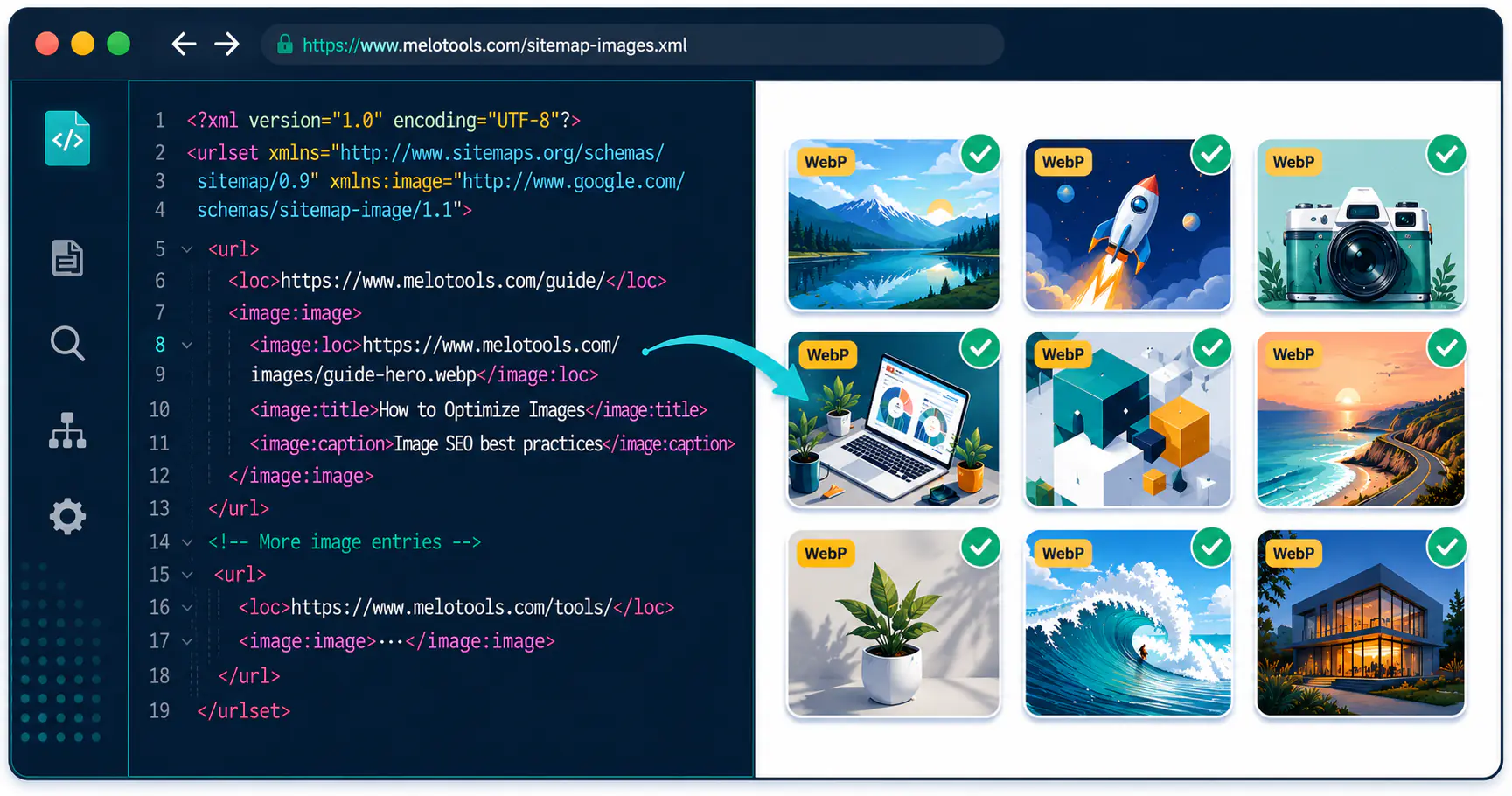
Image Sitemap XML: A Complete Guide to Getting Your Images Indexed by Google
So there's a Shopify store I audited recently. 3,400 product photos sitting on their CDN, Google had 187 of them. The dev was certain it was a ranking issue and the founder believed him. Nope. Nothing on the site was pointing Googlebot at the image URLs in the first place. We dropped in a proper image sitemap, hit submit, came back a fortnight later, index count past 2,800. Boring story, but a common one.
Why does it matter though. If your images aren't in Google's index, image-search referrals go to zero. AI Overviews don't cite anything you've made. Google Lens skips over you like the page is text-only. None of that is theoretical, it's just what happens when there's no map pointing at the files.
What an image sitemap does
Delivery manifest for Googlebot, basically. The crawler walks your internal links and grabs <img> tags. Anything injected by JavaScript after the initial render, plus anything served as a CSS background image, falls outside that path entirely. The sitemap hands Google the URLs straight, no rendering required.
You can put up to 1,000 image entries against any one page URL. Almost nobody hits this ceiling.
Why bother
40 to 60 percent uplift in image indexing on the sites I run this on. Most devs skip it, which is honestly the reason image search is still such a soft market in a lot of niches. The competition just hasn't shown up.
Indexed images also nudge the entity-level relevance signal for whichever page they sit on, which is a small effect on its own but compounds nicely across a couple of hundred articles.
And then the AI surfaces. Google Lens, AI Overviews, image packs in SERPs all eat indexed assets. Unindexed images don't exist to those features, and those features have been quietly chewing up more click volume every quarter for the last two years. Hygiene, not strategy, but you can't skip hygiene.
XML structure
One line wrong and the whole file silently dies. The line is the namespace declaration on the root <urlset>. Forget it and every <image:image> tag inside parses as junk XML. No error in Search Console, no warning, no nothing.
<?xml version="1.0" encoding="UTF-8"?>
<urlset xmlns="http://www.sitemaps.org/schemas/sitemap/0.9"
        xmlns:image="http://www.google.com/schemas/sitemap-image/1.1">
  <url>
    <loc>https://melotools.com/guide/some-page</loc>
    <image:image>
      <image:loc>https://cdn.example.com/diagram.webp</image:loc>
      <image:title>Image compression workflow diagram</image:title>
      <image:caption>A side-by-side of lossy and lossless output</image:caption>
    </image:image>
  </url>
</urlset>
Only <image:loc> is mandatory, and yeah it has to be absolute. Relative paths just fail. The optional fields: a title (under 60 characters), a caption that reads like extended alt text (please not a keyword cupboard), a license URL for CC or stock work, plus a geo_location string for travel or property stuff. Skip what you can't fill honestly. A half-filled caption hurts more than no caption, in my experience anyway.
Building one
Two routes, depends on size. Small or mid-sized site, just bolt image tags onto the existing sitemap. Every <url> entry can carry image metadata, no separate file needed. This is what I do for most clients and it covers the vast majority of cases.
Big product catalogue, tens of thousands of SKUs, give it a file of its own. Call it image-sitemap.xml, reference from sitemap_index.xml, and split by category once it pushes past 50,000 entries.
Next.js (App Router)
The built-in sitemap.ts convention as of 14.x still doesn't generate image sitemaps. You roll a dynamic route at app/image-sitemap.xml/route.ts:
export async function GET() {
  const images = await getAllBlogImages();
  const xml = `<?xml version="1.0" encoding="UTF-8"?>
<urlset xmlns="http://www.sitemaps.org/schemas/sitemap/0.9"
        xmlns:image="http://www.google.com/schemas/sitemap-image/1.1">
${images.map(i => `<url><loc>${i.pageUrl}</loc><image:image><image:loc>${i.src}</image:loc><image:title>${i.title}</image:title><image:caption>${i.caption}</image:caption></image:image></url>`).join('\n')}
</urlset>`;
  return new Response(xml, { headers: { 'Content-Type': 'application/xml' } });
}
Watch the content-type. Default response is text/plain and GSC will throw "Could not fetch" before parsing a single byte. Then register the URL.
WordPress
Rank Math includes image data by default with no toggle. Yoast (free or premium, same outcome) buries it under SEO, Settings, Advanced, XML Sitemaps. The Yoast UI for this has been genuinely awful since at least 2021 and I keep meaning to file a feature request.
CDN domains catch people. If your image host is on a subdomain or external storage (R2, Supabase, S3, whatever), that host has to be verified in Search Console as its own property. Skip the verification and Google quietly drops every entry pointing there. I've lost half a day to this and so will you, probably.
What to do, what not to do
Every URL in the sitemap should return 200. A handful of 301s is fine. A file mostly redirects reads as low quality and gets processed less; same for 404s.
WebP wherever browser support reaches. Around a third smaller than equivalent JPEG at matching visual quality. If your library is still mostly JPEG or PNG, batch-convert through the JPG to WebP converter or PNG to WebP converter before the sitemap touches GSC. Skip the <picture> fallback dance, browser support is past 98 percent.
Filename signals. webp-comparison-chart.webp tells Google something before the crawler fetches anything. img_1204.webp tells it nothing, which is the default a lot of CMSes hand you.
Caption field gets misused constantly. Not an alt-text duplicate, not a keyword slot, just a sentence describing what's in the picture. The way you'd describe it to someone over the phone.
When images change, the sitemap has to change too. New hero, entry updates. Post deleted, entries gone. Sitemaps that keep pointing at dead URLs lose Search Console trust over time, and that trust decides how often Google bothers re-reading the file at all. Bit of a feedback loop.
Submitting it to Search Console
The click path is short enough to feel pointless. Open your property, find Sitemaps in the sidebar, paste the absolute URL of the sitemap, hit Submit. Processing wraps inside 24 to 72 hours, sometimes faster on stronger domains.
If it errors, the message will be "Could not fetch", which narrows things fast. The file might be returning 500 or 404 instead of 200. The response might be missing the Content-Type: application/xml header (the Next.js gotcha I mentioned). Or robots.txt might be blocking Googlebot from the sitemap path. Walk those before anything more exotic.
Successful submission with zero indexed images after a week is a different beast. The cause has moved upstream by then. Image URLs themselves wrong (404, missing https, blocked host), or source pages with no alt text getting filtered at the indexing layer. Painful to debug but not deep.
How optimised images speed up indexing
Crawl budget is real and it gets spent. Heavier files eat the budget faster, fewer assets fetched per session, indexing slows. This compounds across months and is why image optimisation matters for SEO, not just page speed.
A 2MB JPEG hero plus five 800KB in-content PNGs is around 6MB per Googlebot fetch. Same content as WebP at sensible dimensions drops under 600KB. Roughly ten times the assets per session.
Get the files right before the sitemap regenerates. Compress everything until size drops well below source while quality holds. Anything still in JPEG or PNG goes through the browser-based converter (locally processed, no upload). Sensible filenames. Alt text on every source page.
Did it work
Couple of signals to watch, different timescales.
Discovered URLs count in Search Console moves earliest. Open Sitemaps, click your sitemap, watch the number climb. Sits at zero after a week, the file has a structural problem and waiting won't fix it.
URL Inspection is the one I always forget to use. Paste any page URL from the sitemap, expand Index Coverage, look at the Indexable Images count. Only place Google will tell you image by image what it sees on a given page.
Google Images site: query is the slow signal but the truthful one. Run site:yourdomain.com on Google Images around a fortnight in, compare against your pre-submission baseline. Active site, expect roughly double between days 14 and 21.
Where it tends to go wrong
Missing namespace is the one that bites everyone. The xmlns:image attribute on <urlset> isn't optional. Without it the file parses as a regular sitemap and every image tag is treated as unknown XML. The most expensive five characters of typo I see in technical SEO, no joke.
Relative URLs come second. Every <image:loc> has to be absolute and templating engines drop this constantly. Look at you, Hugo.
Unverified CDN domains kill more sitemaps than they should. GSC only processes image entries where the host domain is verified under the same Google account. Check before submission, don't discover after a wasted week.
Decorative imagery in the sitemap is just noise. Logos, navigation icons, social sharing buttons (anything appearing site-wide) should be excluded.
Stale sitemaps turn into trust problems slowly. Every deleted post leaves stale entries unless your generator is wired into the content database properly.
Submitting unoptimised images undermines the whole exercise. The technical SEO guide for images covers the upstream work in working detail.
FAQ
Do I need a separate image sitemap file?
For most sites no. Add image tags inside your existing sitemap.xml. A dedicated file pays off in two situations: crossed a few thousand images, or you want clean separation between page and image data for crawl debugging.
How many images can a sitemap hold?
1,000 per page URL, 50,000 URLs per file. Most sites never approach either ceiling. Marketplaces and stock libraries hit the cap routinely and split across multiple files referenced from a sitemap index.
Does an image sitemap improve image rankings?
Improves indexing, not ranking. The sitemap gets images into the index. Ranking from there depends on alt text quality, file format you serve, the host page's authority, plus how relevant the page is to the query. No sitemap fixes a slow page or a missing caption.
Which image formats should I use?
WebP first wherever browser support reaches, JPEG as fallback. Google indexes WebP and JPEG without trouble, PNG too. Rarer formats work but rarely matter for SEO. The file-size win over JPEG is where the practical SEO gain lives.
Why are my URLs throwing errors in Search Console?
One of these in my experience. URL missing the https:// prefix. Host domain not verified in Search Console. Image returning a 404 or a redirect. Or xmlns:image namespace missing from the root tag. Validate the file in a free XML validator first, then walk each error URL through URL Inspection.
How often should I refresh the sitemap?
Whenever the visible image inventory changes. New posts, product swaps, deletions, format conversions. Daily publishing, automate regeneration in your deployment pipeline. Slower blog, weekly cron is enough.
Start with the files
Sitemap full of correctly listed but oversized images is arguably worse than no sitemap. Signals effort without quality and GSC reads the combo as low-trust. Before you submit anything, compress the images to bring heroes under 150KB and in-content assets under 100KB.
Anything still living as JPEG or PNG should go through the MeloTools image converter before the sitemap regenerates (locally processed, files never leave your device). Once your assets are in shape, update the sitemap and submit. The image SEO checklist for developers covers the layer above this if you want to keep going.