Adds a Translate page button to the TranslatePress editor. Start free with the translator built into Chrome and Edge, or connect your own AI provider key for better quality. Your own edits are never overwritten.
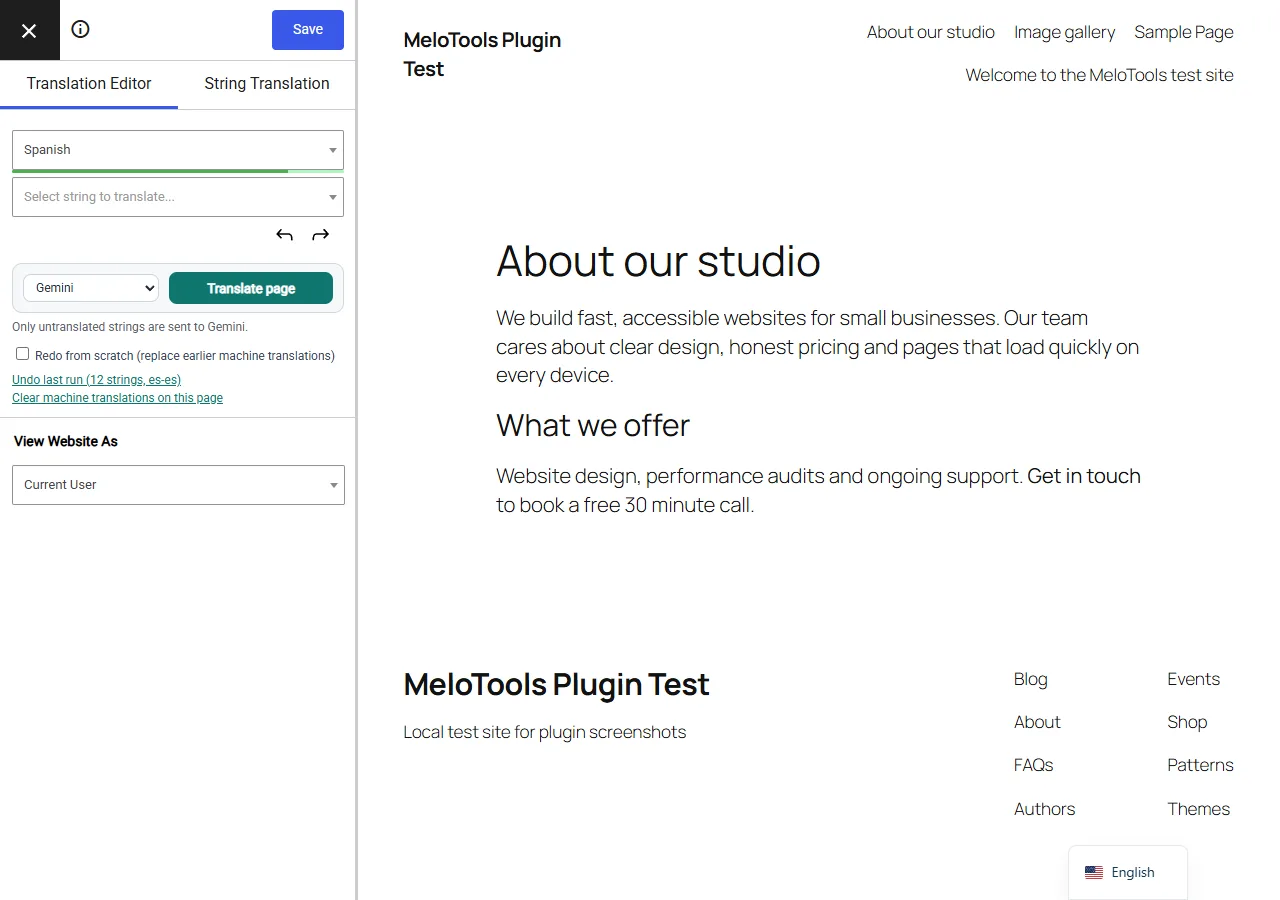
Translate a whole page in one click, inside the TranslatePress editor
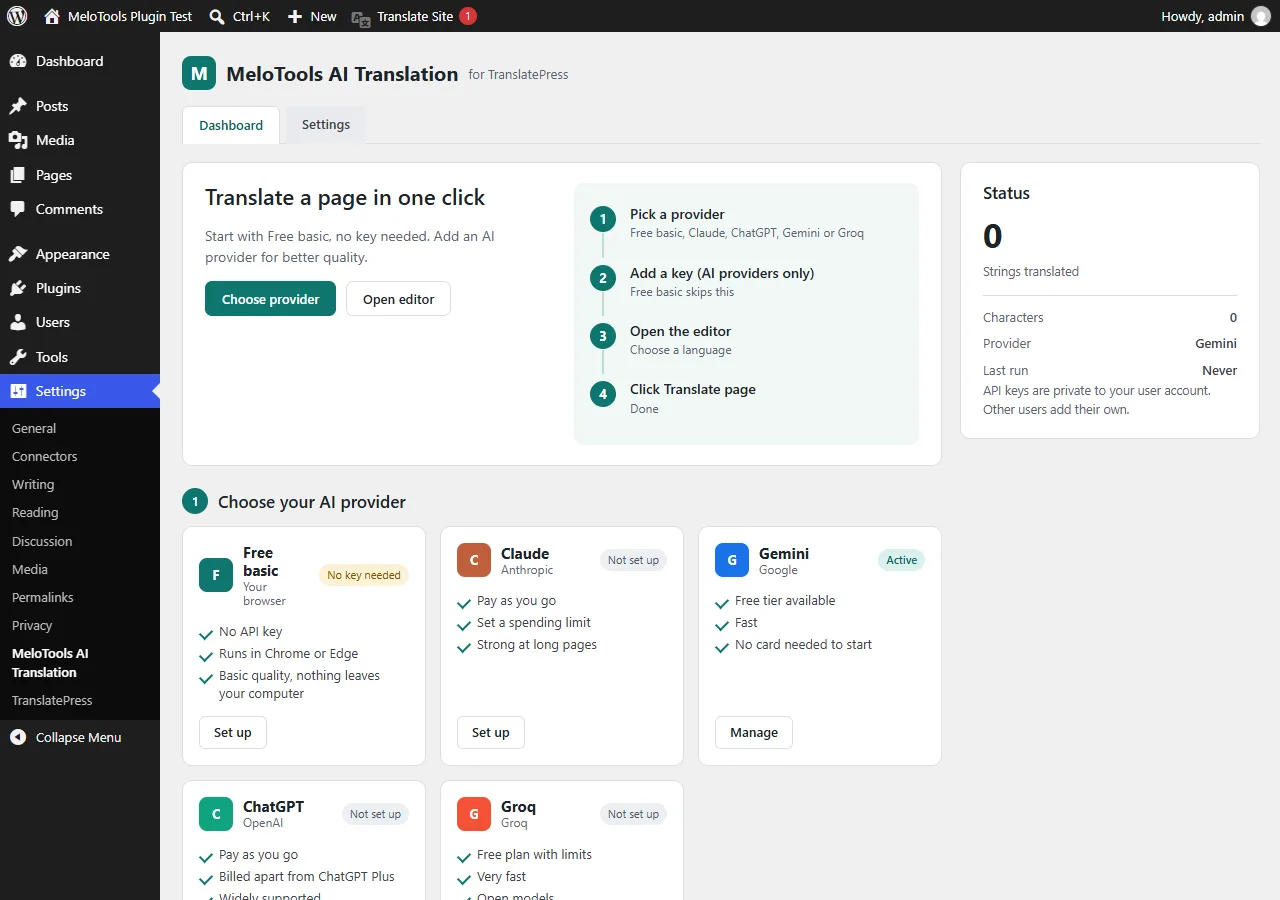
Free basic option with no API key, or Claude, ChatGPT, Gemini and Groq with your own key
Only untranslated strings are sent, and your own edits are always kept
Every result is checked: tags, links and placeholders must stay intact
Undo the last run or clear machine translations on a page, keeping your own edits
Keys are encrypted per user and never reach the browser
No subscription, no tracking, nothing sent to MeloTools
See it in action
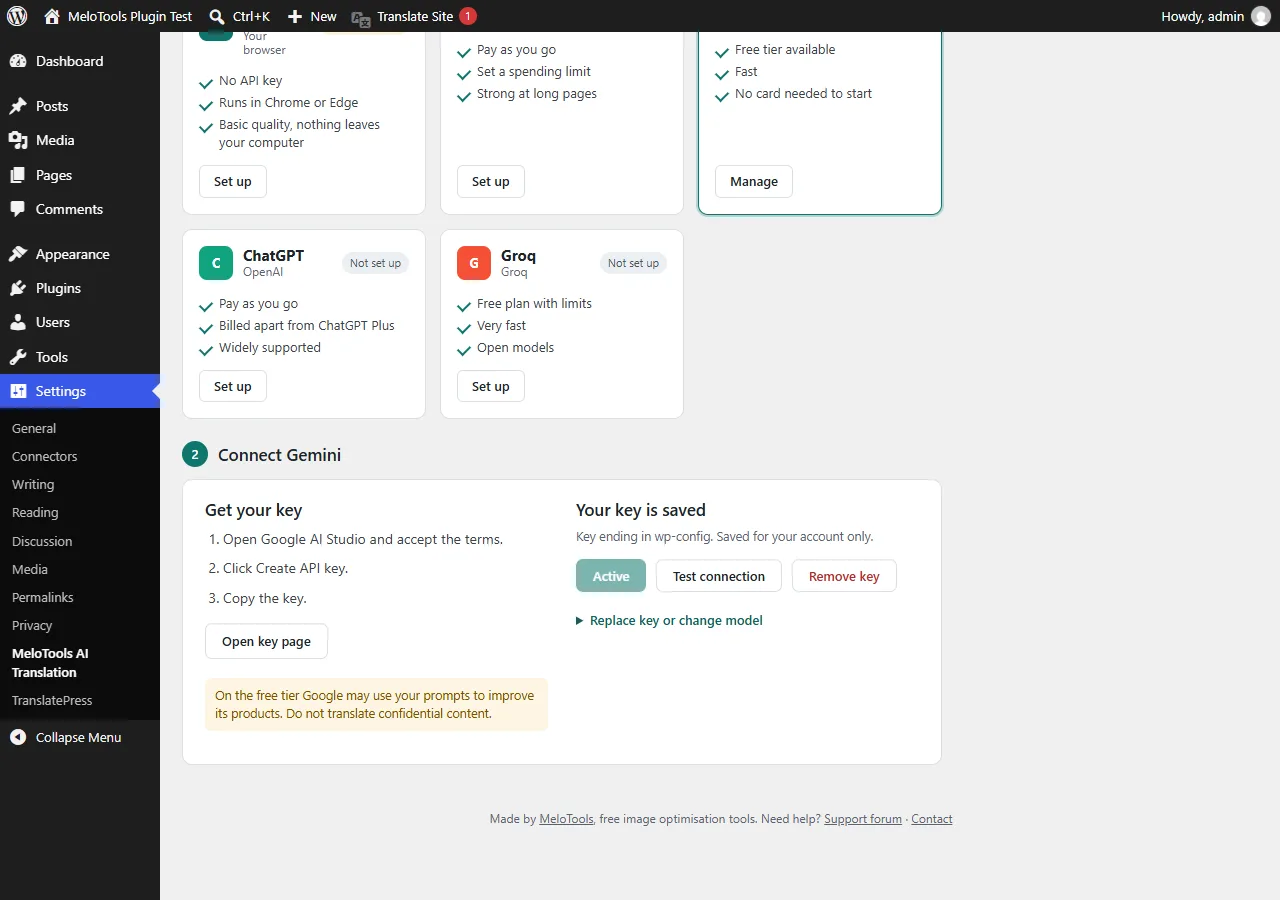
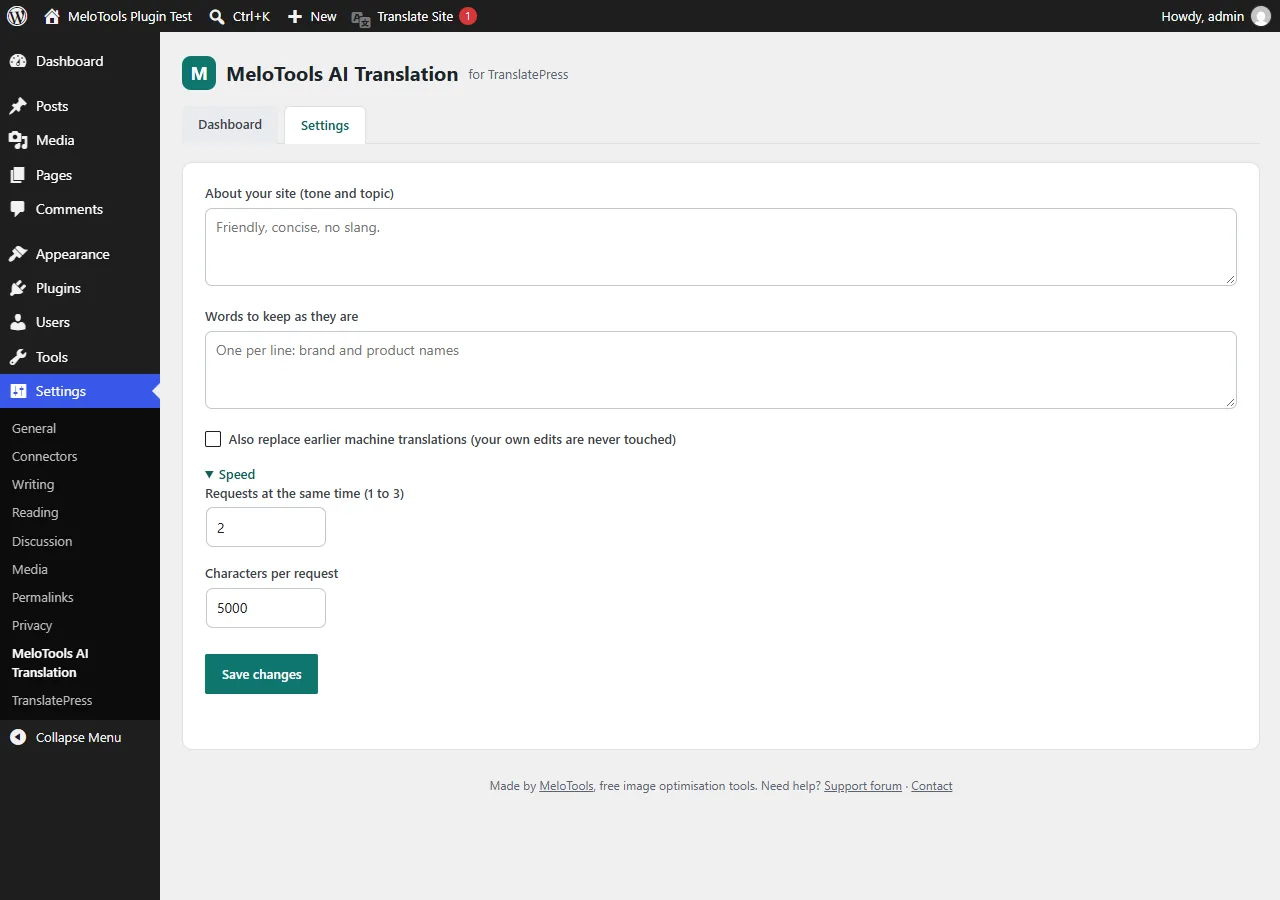
Dashboard: choose Free basic or an AI provider.Connect a provider: get a key in three steps, paste it and save.Settings: site tone, words to keep as they are, and speed.Translate page, Undo last run and Clear machine translations in the TranslatePress editor.
Install from your WordPress dashboard
1In your WordPress dashboard, go to Plugins, then Add New Plugin.
2Search for "MeloTools AI Translation for TranslatePress".