
Image Optimization for eCommerce Websites (Speed + SEO)

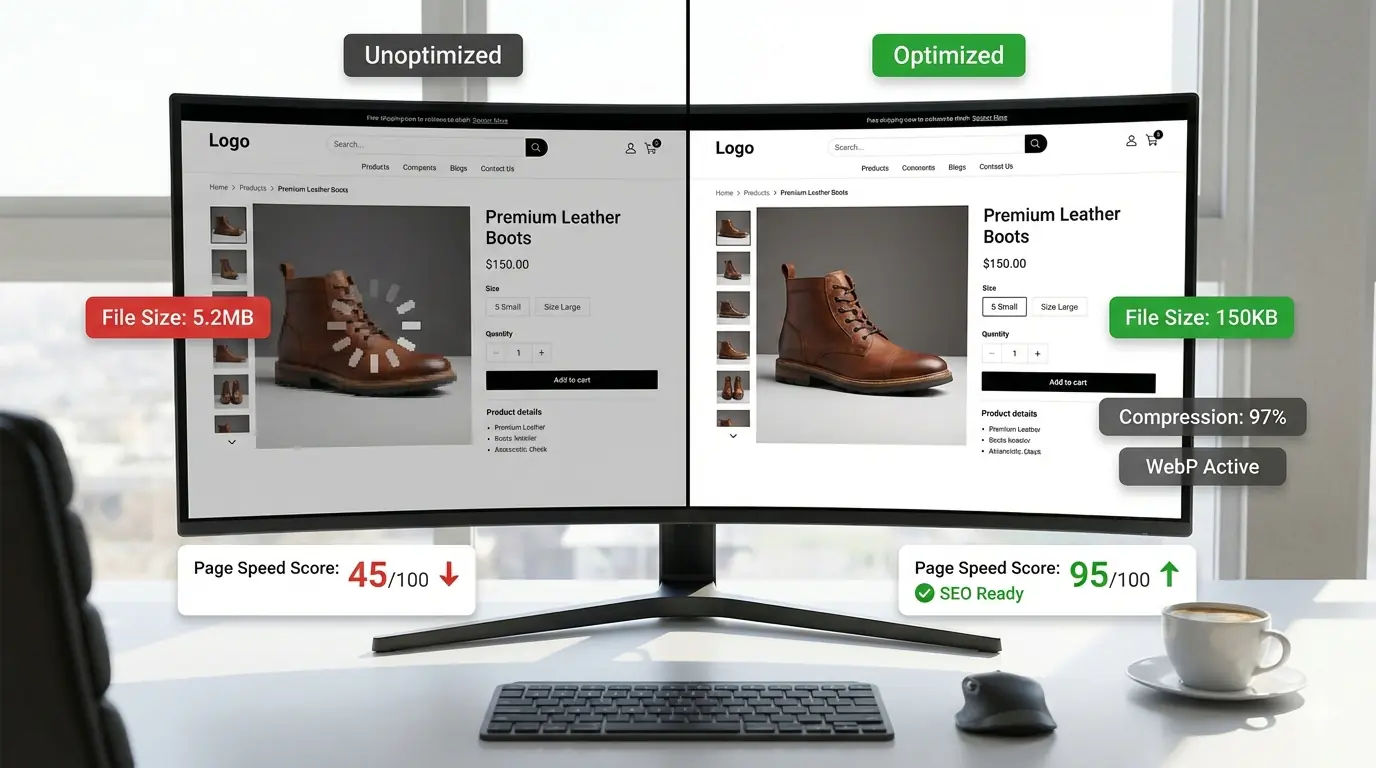
Image Optimisation for eCommerce Websites: Speed, SEO & Conversions (2026)
In eCommerce, images are not decoration. They are infrastructure. Product images directly affect page speed, search visibility, and conversion rates — yet they remain one of the most consistent performance bottlenecks across online stores at every scale. Teams invest in ads, UX, and content while image optimisation is treated as a one-time cleanup task. The result is slow product pages, failing Core Web Vitals, and avoidable revenue loss.
This guide covers eCommerce image optimisation from a production-ready perspective: platform-specific implementation, product image specifications, Google Merchant Center requirements, structured data for Shopping visibility, category page strategy, and scalable compression workflows. It focuses on the decisions that are unique to eCommerce rather than general image optimisation principles covered elsewhere.
Why Image Optimisation Hits Harder in eCommerce
Unlike a blog with a handful of images per page, eCommerce sites are image-dense by design. A product page may carry a primary image, 6–8 gallery views, variant thumbnails, lifestyle photographs, a category banner, and promotional assets — all on a single URL. Each image compounds the performance risk.
The business consequences are direct. A delayed product hero image is the Largest Contentful Paint element on most product pages. A slow LCP means visitors see a blank or partially rendered page during their first impression of the product. That experience correlates with higher bounce rates and lower conversion. Performance is not a technical metric for eCommerce — it is a revenue metric. The Core Web Vitals guide covers the exact LCP, CLS, and INP thresholds and the image attributes that determine each score.
Product Image Specifications by Use Case
Establishing defined specifications per image role prevents the most common eCommerce image performance failure: uploading camera-resolution images for display contexts that need a fraction of that size.
| Image Role | Recommended Width | Format | Quality | Notes |
|---|---|---|---|---|
| Primary product image | 800–1200px | WebP lossy / AVIF | 83–88 | LCP element — use fetchpriority="high" |
| Gallery thumbnails | 400–600px | WebP lossy | 78–82 | Lazy load all except first visible |
| Zoom source | 1600–2400px | WebP lossy / AVIF | 88–92 | Served only on zoom trigger — lazy load |
| Category grid thumbnails | 300–400px | WebP lossy | 72–78 | Many per page — file size matters acutely |
| Cart / checkout thumbnails | 80–120px | WebP lossy | 68–74 | Tiny display size; over-compression acceptable |
| Hero / banner | 1200–1600px | WebP lossy / AVIF | 80–85 | Set exact width and height — prevents CLS |
| Open Graph / social share | 1200×630px | JPG or WebP | 85 | Facebook/LinkedIn minimum; stays as JPG for broad platform compat |
The zoom source image deserves specific attention. Serving a 2000px source for a CSS-driven zoom experience does not require that image to download on page load — it should be lazy-loaded and only fetched when the visitor triggers the zoom interaction. Embedding it in the initial page payload is one of the most common causes of extreme page weight on product pages.
Format Selection for eCommerce
WebP is the baseline for all web-delivered product images in 2026. AVIF is production-ready with approximately 93–95% browser coverage and should be the primary format for LCP images — the product hero — where the additional 20–50% compression over WebP directly translates to LCP improvement. For the full format comparison covering compression ratios, lossless handling, and encode time implications, the AVIF vs WebP guide covers both formats in detail.
The <picture> element delivers the optimal format per browser:
<picture>
  <source srcset="product-hero.avif" type="image/avif">
  <source srcset="product-hero.webp" type="image/webp">
  <img
    src="product-hero.jpg"
    alt="Red running shoe, lateral view, size 10"
    width="1000"
    height="1000"
    fetchpriority="high">
</picture>
fetchpriority="high" on the primary product image ensures the browser fetches it at maximum priority before other resources — the most impactful single attribute change available for product page LCP.
Responsive Images for Product Pages
A mobile visitor on a 390px viewport should not download a 1200px product image. srcset ensures browsers select the appropriate size:
<img
  src="product-800.webp"
  srcset="product-400.webp 400w, product-800.webp 800w, product-1200.webp 1200w"
  sizes="(max-width: 480px) 400px, (max-width: 960px) 800px, 1200px"
  alt="Red running shoe, lateral view"
  width="1200"
  height="1200"
  loading="lazy">
For the primary product image (LCP element), omit loading="lazy" and add fetchpriority="high". For all gallery images below the first visible viewport, add loading="lazy". The responsive images guide covers the srcset and sizes syntax in full.
Platform-Specific Implementation
Shopify
Shopify serves images through its own CDN (cdn.shopify.com) and supports URL-based image transformation parameters:
https://cdn.shopify.com/s/files/1/example/product.jpg?width=800&quality=80&format=webp
Key parameters:
width=— resize to specific pixel widthquality=— compression quality (1–100)format=webp— force WebP output (also acceptsavif)height=— resize to specific height (use withwidthfor exact dimensions)
Shopify's Liquid templates expose these via the image_url filter:
{{ product.featured_image | image_url: width: 800, format: 'webp' }}
Shopify's Online Store 2.0 themes handle responsive images via image_tag with built-in srcset generation. Older themes may require manual srcset implementation. The primary Shopify image optimisation gap is not format — it is that teams upload large source images without resizing first. A 6000px source image served through Shopify's CDN at width=800 is still fetched at source size before CDN processing unless the width parameter is explicitly set in the template.
WooCommerce
WooCommerce stores image size configurations in the WordPress admin under Settings → Media. Default sizes (thumbnail, medium, large) are generated at upload time. Changing these settings does not retroactively update existing product images — use the Regenerate Thumbnails plugin after updating size settings or switching to WebP as the preferred delivery format.
WooCommerce with Imagify, ShortPixel, or similar image optimisation plugins handles automatic WebP/AVIF conversion and compression at upload. The plugin processes the source image and generates WebP variants that are served via <picture> element injection. Verify the plugin's <picture> implementation is generating width and height attributes — many older versions omit these, causing CLS on product pages.
Category Page Image Strategy
Category pages carry high image density — typically 12–48 product thumbnails per viewport, often with filtering and pagination. The compounding file size effect is significant: 48 thumbnails at 150 KB each is 7.2 MB of image payload before a single product is viewed.
The correct approach for category grids:
- Thumbnails at 300–400px — display at this size on most grid layouts; serving 800px thumbnails is a common and costly oversight
- Lazy load all thumbnails not in the initial viewport — on a 4-column grid, the first 4–8 images visible on mobile are above-fold; everything else should be
loading="lazy" - WebP at quality 72–78 — thumbnail quality tolerance is higher than product detail quality; visitors are not evaluating fine detail at grid size
- Consistent aspect ratios — all category thumbnails must share the same
widthandheightattribute values to prevent CLS as images load in staggered sequence. Set a standard aspect ratio (typically 1:1 or 4:3) across all product photography as a production requirement
The lazy loading guide covers the correct implementation pattern including the interaction between loading="lazy" and decoding="async" for non-LCP images.
Common eCommerce-Specific Optimisation Problems
Variant images duplicated without deduplication. A product with 8 colour variants often has 8 near-identical images — the same shoe in different colours. Each image should be independently compressed. Where variants share a silhouette (background, positioning, lighting) that differs only in colour, lossless WebP may be more appropriate than lossy to preserve colour accuracy.
Theme-level CLS from missing dimensions. Many Shopify and WooCommerce themes apply width: 100% to images without setting intrinsic width and height attributes. The browser cannot reserve space before the image loads, causing every product grid and gallery to shift on load. This is fixed at the theme level — find every <img> element in the product and category templates and add width and height attributes matching the source image dimensions.
Zoom source images in the initial payload. As noted above, high-resolution zoom images loaded as part of the initial page payload are one of the most common causes of extreme page weight on product pages. They should be hidden from the initial load and fetched only on zoom trigger via JavaScript.
Cart and checkout thumbnail neglect. Tiny cart thumbnails are often served at the same resolution as gallery images. A 100px thumbnail displayed in the cart sidebar does not need to be 800px wide — this is pure wasted bandwidth at the conversion moment where speed is most critical.
Google Merchant Center Image Requirements
For products appearing in Google Shopping results, Google Merchant Center has specific image requirements that affect both eligibility and quality score:
- Minimum size: 100×100 pixels (apparel: 250×250 minimum)
- Recommended size: 800×800 pixels or larger for best Shopping ad display quality
- Maximum file size: 16 MB
- Accepted formats: JPEG, WebP, PNG, GIF, BMP, TIFF (WebP accepted since 2023)
- Requirements: No promotional text overlays, watermarks, or placeholder images
- Background: White or light background preferred for apparel; lifestyle contexts acceptable for other categories
The image_link field in the product feed should point to a stable, crawlable URL — not a CDN transformation URL that may change format or dimensions. A canonical product image URL that consistently returns the full-size product image ensures stable Shopping indexing.
Structured Data for Shopping Visibility
Product schema with an embedded ImageObject provides Google with machine-readable product image metadata that improves Shopping tab eligibility and AI-powered product result features:
{
  "@context": "https://schema.org",
  "@type": "Product",
  "name": "Velocity Pro Running Shoe",
  "image": {
    "@type": "ImageObject",
    "url": "https://example.com/images/velocity-pro-red-lateral.webp",
    "width": 1000,
    "height": 1000,
    "description": "Velocity Pro running shoe in red, lateral view, showing heel cushioning"
  },
  "offers": {
    "@type": "Offer",
    "price": "129.99",
    "priceCurrency": "USD",
    "availability": "https://schema.org/InStock"
  }
}
For products with multiple images (gallery angles), include an array of ImageObject entries. The description field within ImageObject provides the same E-E-A-T context as alt text for AI systems processing product data — use it to describe the specific view, feature, or detail the image shows. The AI-ready image optimisation guide covers the full ImageObject implementation and how it affects AI search surfaces.
Image SEO for Product and Category Pages
Descriptive filenames and accurate alt text are the foundational image SEO requirements. For eCommerce specifically:
Product image filenames: velocity-pro-running-shoe-red-lateral-view.webp outperforms product_image_1.webp in both Google Images indexing and the confidence with which Google can associate the image with the product entity.
Alt text for product variants: Each variant image should have distinct alt text reflecting the variant — "Velocity Pro running shoe in navy blue, size 9, front view" rather than "running shoe" across all variants.
Category page alt text: Category banners and promotional images should describe the promotional context, not just the product category — "Women's trail running shoes sale, autumn 2026 collection" rather than "shoes".
For the full technical SEO implementation layer — image sitemaps, canonical image URLs, structured data patterns — the technical SEO guide for images covers the complete stack. How image SEO decisions connect to ranking signals in Google Search is covered in the image optimisation and SEO guide.
Scaling Image Optimisation Across Large Catalogs
Manual optimisation does not scale beyond a few hundred SKUs. The practical scaling approaches depend on platform and team structure:
CDN-based format negotiation — Shopify's CDN handles WebP/AVIF delivery via URL parameters; third-party CDNs (Cloudflare Images, Cloudinary, Imgix) handle format negotiation automatically for externally hosted images. This handles delivery format without requiring re-upload of existing images.
Build pipeline compression — for custom eCommerce platforms or headless setups, Sharp in a Node.js pipeline or a Vite plugin processes images at build time. The web performance pipeline guide covers the implementation for each framework. Sharp's batch processing with parallelised worker threads handles thousands of images in a single pipeline run.
Pre-upload batch compression — for teams managing product photography manually (photography studio output → CMS upload), establishing a compression step between the photography workflow and the CMS upload prevents unoptimised images from entering the system. The complete compression guide covers the quality settings, metadata stripping, and batch conversion approach.
URL preservation on re-upload — when replacing unoptimised images with optimised versions, preserve the image URL. Changing a URL invalidates any backlinks, Google Images indexing, and CDN cache entries that reference the original. If the format changes (PNG → WebP), update the src attribute in the template but keep the URL stable where the platform allows it — or implement a 301 redirect from the old URL to the new one.
Measuring eCommerce Image Optimisation Impact
Performance improvements in isolation are incomplete without conversion correlation. After a significant image optimisation deployment, track:
LCP improvement per page type — run PageSpeed Insights before and after on representative product pages, category pages, and the homepage. The field data LCP change (from CrUX, updating over 28 days) reflects real visitor experience.
Bounce rate by page type — product page bounce rate change in analytics. A 10–20% bounce rate reduction after LCP improvement is a consistent pattern on product pages where the previous image load was genuinely slow.
Add-to-cart rate — for A/B test environments, compare add-to-cart rate on optimised vs unoptimised product page variants. Image load speed at the point of first product impression is one of the highest-impact variables in this metric.
Google Search Console image impressions — after implementing descriptive filenames, alt text, and Product schema with ImageObject, monitor the Images tab in Search Console performance. Growing image impressions indicate better Google Images indexing and Shopping tab coverage.
Frequently Asked Questions
Does Shopify automatically optimise product images?
Shopify serves images through its CDN and supports URL-based resizing and format conversion via the image_url Liquid filter with format: 'webp'. It does not automatically compress source images at upload or enforce dimension limits. Teams still need to upload correctly sized source images — Shopify resizes via URL parameters at delivery time, but the source resolution and initial file size remain as uploaded.
What image format should I use for Google Shopping?
WebP is accepted by Google Merchant Center as of 2023. For the product feed image_link field, use a stable URL pointing to a full-resolution product image (800×800 minimum recommended). Avoid CDN transformation URLs that include size or format parameters — these may change or become invalid.
How do I fix CLS on my product gallery?
Add width and height attributes to every <img> element in the gallery template, matching the intrinsic dimensions of the image. For themes that apply width: 100% via CSS, also add height: auto in CSS and set the attributes to the source dimensions — the browser uses the ratio, not the fixed values, to reserve space.
Should I compress variant images separately?
Yes. Each variant image should be independently compressed. Do not assume a setting that works for one variant will produce consistent results across all — different colour backgrounds, different lighting, and different textures compress with different efficiency. Test each variant at your target quality setting.
Summary
eCommerce image optimisation is a revenue-affecting infrastructure decision, not a cosmetic enhancement. Define specifications per image role, set the primary product image as the LCP element with fetchpriority="high", implement responsive images with srcset for all gallery and category images, lazy-load everything below the initial viewport, strip metadata, and verify CLS is zero by confirming width and height on every image element. For Shopping visibility, implement Product schema with ImageObject and meet Google Merchant Center's image requirements. Scale optimisation via CDN format negotiation for existing libraries and pre-upload compression for ongoing content. Measure impact in LCP field data, bounce rate, and Search Console image impressions after each deployment. MeloTools handles WebP and AVIF conversion in the browser for pre-upload workflows — suitable for product photography that cannot be transmitted to external servers before publication.