
How Images Affect Bounce Rate & Improve Website Engagement

Introduction
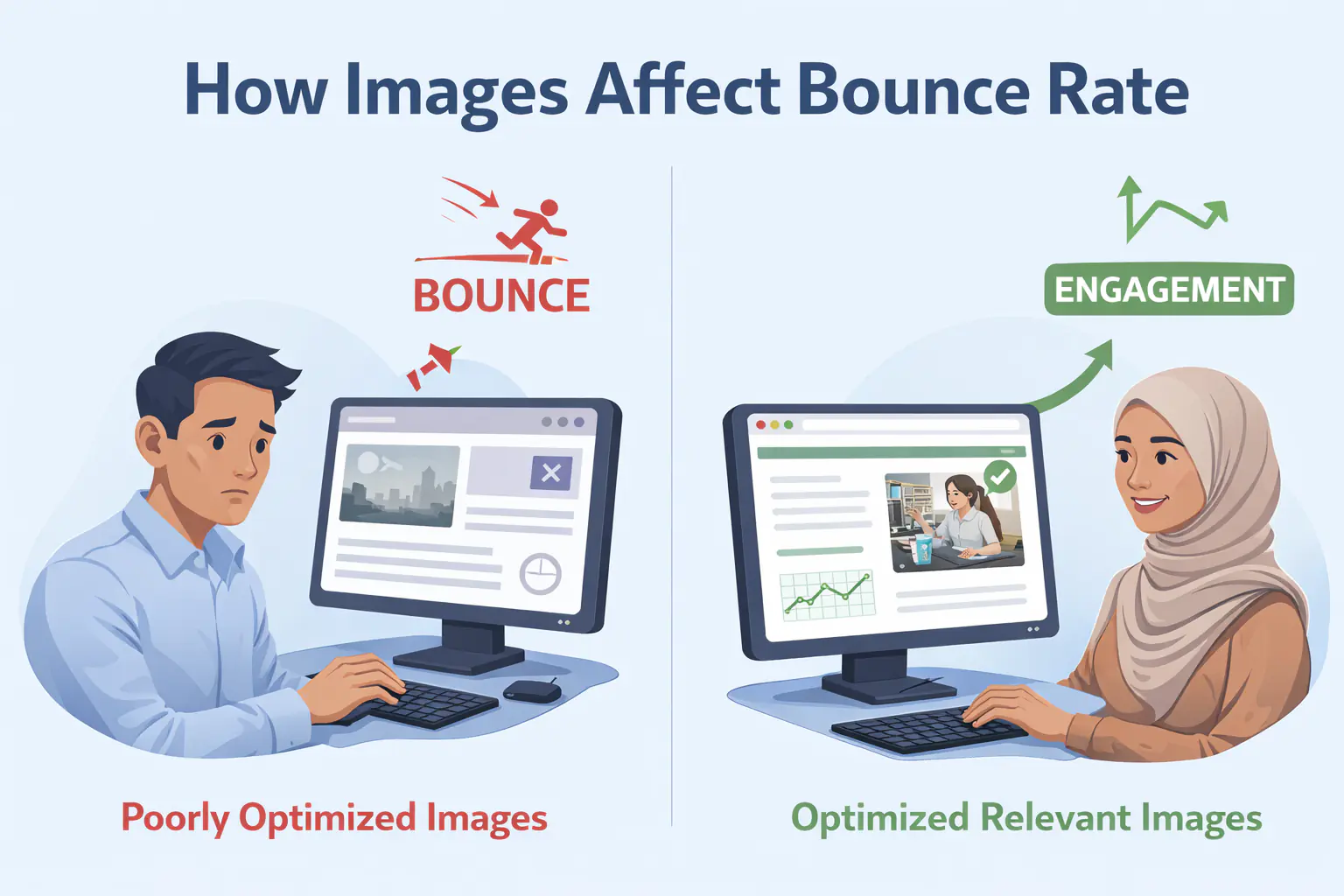
Images play a critical role in shaping how users perceive, interact with, and stay on a website. While content quality and page speed are often highlighted as key performance factors, images have a direct and measurable impact on bounce rate and overall website engagement.
When used strategically, images can guide attention, reinforce messaging, and improve user experience. When used poorly, they slow pages down, confuse visitors, and cause users to leave almost immediately. This article explains how images affect bounce rate, why it matters for SEO, and how to optimise images to improve engagement and retention.
What Is Image Bounce Rate?
Image bounce rate refers to the tendency of users to leave a webpage quickly due to how images are presented, loaded, or aligned with user expectations. While bounce rate is technically measured at the page level, images often influence whether a visitor stays or exits.
Images affect bounce rate in three primary ways:
- How quickly a page loads
- How clearly content is communicated
- How engaging and relevant the page feels to users
If images fail in any of these areas, visitors are more likely to bounce without scrolling or interacting further.
Why Images Matter for Website Engagement
Website engagement is driven by how easily users can understand, navigate, and trust your content. Images act as visual cues that shape first impressions within milliseconds.
High-quality images can:
- Capture attention immediately
- Break up long text blocks
- Improve comprehension of complex ideas
- Build trust and credibility
Poor image choices, however, can increase page load time, distract or confuse users, create visual clutter, and reduce perceived professionalism. Because images are often the first elements users notice, they play a decisive role in whether visitors stay or leave.
How Images Influence Bounce Rate
Page Load Speed and Performance
Large, unoptimised images are one of the most common causes of slow-loading pages. When pages take longer than a few seconds to load, users abandon them — and Google registers that as a negative experience signal. The most damaging and most frequently overlooked performance mistakes, from uncompressed hero images to missing lazy loading, are documented in detail in the top image optimisation mistakes developers make.
Key issues that slow pages down:
- High-resolution images without compression
- Incorrect image formats (e.g., using PNG instead of WebP)
- No lazy loading for below-the-fold images
- Serving desktop-sized images to mobile users
Actionable tip: Compress images, use modern formats like WebP or AVIF, and implement responsive image sizing to reduce load times. Switching from PNG or JPG to WebP alone can reduce image file sizes by 25–35% with no visible quality loss.
Relevance Between Images and Content
Images should reinforce the message of the page. When visuals feel generic, misleading, or unrelated, users lose trust and leave. Examples of poor relevance include stock photos that don't match the topic, decorative images with no informational value, and visuals that contradict the headline or intent.
Relevant images improve clarity and keep users engaged by aligning expectations with content.
Actionable tip: Choose images that directly support the headline, section topic, or user intent of the page.
First Impression and Above-the-Fold Experience
The area users see before scrolling heavily influences bounce rate. Images placed above the fold set the tone for the entire page. Effective above-the-fold images clearly communicate value, support the page headline, look professional and modern, and load quickly.
Ineffective images make pages feel cluttered, outdated, or slow — all of which increase exit rates. The connection between image performance and the Core Web Vitals scores that directly influence these first-impression signals is covered in the guide to how image optimisation improves Core Web Vitals.
Actionable tip: Ensure hero images are lightweight, contextually relevant, and visually aligned with your message.
Mobile Responsiveness and Image Scaling
Mobile users now represent a majority of web traffic. Images that look good on desktop but break layouts on mobile can significantly harm website engagement.
Common mobile image issues include:
- Images that overflow the screen
- Text embedded in images that becomes unreadable
- Excessive vertical space caused by tall images
These issues frustrate users and increase bounce rates considerably. Using srcset and proper CSS scaling, as covered in the complete guide to responsive images for beginners, ensures the right image size is served to every device automatically.
Actionable tip: Use responsive image techniques (srcset, CSS scaling) and test image layouts across devices.
Visual Hierarchy and Readability
Images influence how users scan and consume content. When visuals are poorly placed, they interrupt reading flow and reduce engagement.
Good image placement separates content sections, supports key points, and guides the reader's eye naturally. Poor placement breaks paragraphs awkwardly, pushes important content too far down, and overwhelms users with too many visuals.
Actionable tip: Place images strategically near relevant text and avoid excessive visual clutter.
Images, SEO, and Bounce Rate: The Connection
Search engines evaluate user behaviour signals such as bounce rate, dwell time, and engagement. While images are not a direct ranking factor on their own, they strongly influence these behavioural metrics.
Optimised images help SEO by improving page load speed, enhancing user experience, increasing time on page, and supporting image search visibility. High bounce rate can signal poor page experience to Google, indirectly affecting rankings over time. Using descriptive, contextually accurate alt text on every image is one of the most reliable and underused tactics for improving image search visibility — the technical SEO guide for images covers this in depth alongside structured data for images.
Image Optimisation Best Practices to Reduce Bounce Rate
The format choices you make have a direct impact on both load speed and bounce rate. AVIF and WebP are the two modern formats that deliver the greatest file size reductions without compromising quality — WebP as the safe baseline for broad compatibility, AVIF as the next-generation format for highest compression efficiency.
Key practices:
- Use the right image format (WebP, AVIF, SVG where appropriate)
- Compress images without visible quality loss
- Add descriptive, contextual alt text
- Avoid decorative images without purpose
- Implement lazy loading for below-the-fold images
Measuring Image Impact on Bounce Rate
To understand how images affect your site:
- Monitor bounce rate by page in Google Analytics
- Compare pages with heavy imagery vs lighter visuals
- Track page load time changes after image optimisation
- Use heatmaps to observe user interaction patterns
Common Image Mistakes That Increase Bounce Rate
- Oversized hero images
- Generic stock photography
- Poor mobile optimisation
- Excessive visual clutter
- Text-heavy images instead of HTML content
Avoiding these mistakes can significantly improve website engagement and retention. If you are not sure where to start, compressing your existing images online for free is the fastest single action that reduces bounce rate by improving load time across every page on the site.
Final Thoughts: Images as a Retention Tool
Images are not just decorative elements — they are a core component of user experience. When optimised correctly, they reduce bounce rate, increase website engagement, and support long-term SEO performance. Fast-loading, relevant, well-placed, and mobile-friendly images help keep users engaged and improve overall page effectiveness. MeloTools provides free, browser-based image optimisation tools to help you compress and convert images to the right format without any uploads, logins, or friction.