
How Google Indexes Images: A Practical Guide for Image SEO

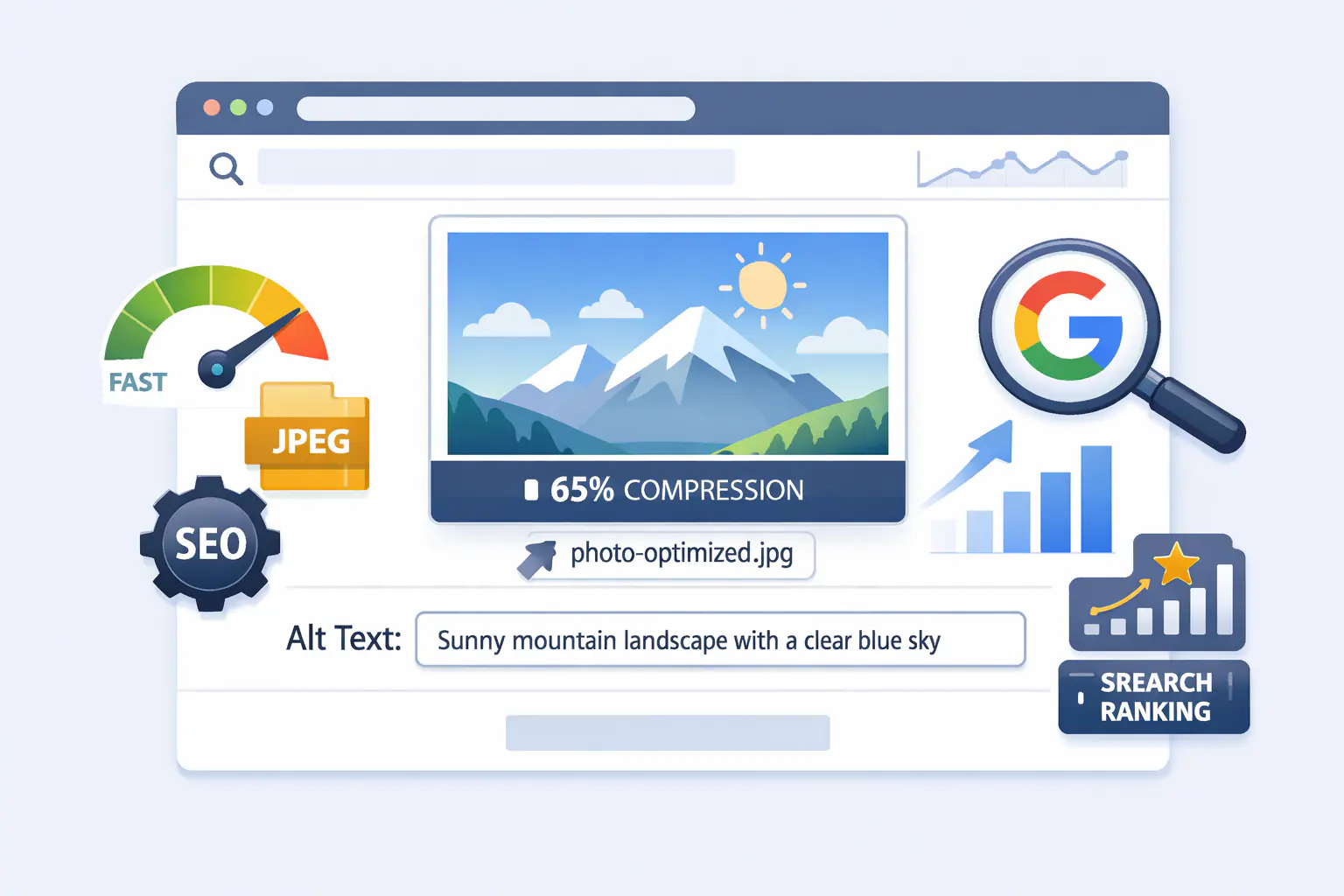
How Google Indexes Images: A Practical Guide for Image SEO
Most websites have images that Google has never indexed — not because the images are poor quality, but because of gaps in how they are discovered, interpreted, and signalled to Googlebot. Understanding the full indexing pipeline is the difference between images that drive traffic and images that are invisible to search.
This guide walks through each stage of Google's image indexing process, the specific signals that determine whether an image surfaces in Google Images, and the technical implementations that move the needle most.
Stage 1: How Google Discovers Your Images
Google discovers images through three main paths, and the reliability of each varies significantly.
HTML crawling is the primary discovery mechanism. Googlebot scans the HTML of pages it crawls and finds images referenced in <img> tags. Images that are not present in HTML — loaded exclusively via CSS background-image properties, injected by JavaScript after page load, or hosted on subdomains not linked from crawled pages — are at higher risk of being missed or deprioritised. If your hero images or product visuals are rendered via JavaScript frameworks without server-side HTML output, verify they appear in the rendered HTML that Googlebot receives, not just in the browser DOM after client-side execution.
Image sitemaps significantly improve indexing rates for content-heavy sites. An image sitemap extends your standard XML sitemap with <image:image> child elements that explicitly tell Google the location, caption, title, geographic location, and licence of each image. Sites with large image libraries — product catalogues, photography portfolios, news archives — see meaningfully better indexing coverage with image sitemaps than without them. The technical SEO guide for images covers image sitemap implementation with the full XML structure and the Google-required namespace declaration.
External links to images do contribute to discovery — a direct URL reference from another site can cause Google to index an image independently of its parent page. However this is unpredictable and not a strategy to rely on. Your sitemap and HTML structure are the signals within your control.
One important consideration for sites using external image hosting — such as a CDN or cloud storage bucket on a subdomain — is that Google indexes images at the URL where they are hosted. Images served from a third-party CDN domain rather than your own domain do not pass domain authority back to your site in the same way as self-hosted images. If image search traffic is a meaningful acquisition channel, hosting images on your own domain or a dedicated subdomain you control is worth considering.
Stage 2: How Google Understands What an Image Contains
Discovery gets an image into Google's crawl queue. Understanding is what determines whether it surfaces for relevant queries.
Alt text remains the primary signal for image content comprehension. Google's documentation is explicit: alt text is the strongest textual signal for what an image depicts. Effective alt text describes the image specifically and accurately — "ceramic pour-over coffee dripper on white marble countertop" communicates more than "coffee equipment" and far more than "image" or a blank attribute. Include the page's primary keyword where it fits the image description naturally, but describe the image first — keyword relevance follows from accurate description, not from stuffing keywords that do not reflect the image.
Surrounding page content provides contextual reinforcement. Google considers the heading above an image, the paragraph immediately adjacent to it, any caption element, and the overall page topic. An image placed at the bottom of an unrelated page with no surrounding context is less likely to rank for its target query than the same image placed near topically relevant text. Position images near the copy they illustrate.
File names are a secondary signal that costs nothing to optimise. IMG_4821.jpg provides no information; ceramic-pour-over-dripper-coffee-brewing.webp does. Use descriptive, hyphenated file names that reflect the image content and include a relevant keyword where it accurately applies. Rename files before upload — renaming after publishing breaks the indexed URL.
Captions are read by Google and used as additional context signals. A short, specific caption beneath an image adds a text element that is directly associated with the image in Google's rendering. For product, recipe, and editorial content, captions improve both indexing relevance and accessibility.
Stage 3: Placement and Rendering Signals
Where and how an image appears on a page affects its indexing priority.
Images positioned above the fold — visible to users immediately on load — receive higher crawl priority than images buried at the bottom of long pages. This reflects Google's user-centric evaluation: content that users see first is treated as more significant. For your most important images (hero images, primary product photos, key infographics), above-fold placement is the default.
CSS background images are a persistent indexing trap. Images set via background-image in CSS are not treated as content images by Google — they are considered decorative and are not indexed for image search. Any image that needs to be discoverable in Google Images must be in an HTML <img> tag (or <picture> element), not in CSS. This is a common mistake with hero sections built in page builders or CMS themes that use CSS backgrounds for visual flexibility.
JavaScript-rendered images require additional attention. If an image is injected into the DOM by JavaScript after page load, Googlebot needs to execute that JavaScript to see it. Google does render JavaScript, but there is a crawl budget cost and a rendering delay. For indexing-critical images, server-side rendering or static HTML output is more reliable than client-side injection.
Stage 4: Structured Data for Enhanced Image Indexing
Structured data (JSON-LD schema) does not directly cause images to be indexed, but it strongly influences whether indexed images appear in rich results and AI-powered search experiences. The guide to AI-ready image optimisation for search engines covers the full structured data implementation for images in detail.
The most relevant schema types for image indexing purposes:
Article / TechArticle — including an image property in Article schema signals to Google which image represents the content, improving eligibility for article rich results and Google Discover cards, both of which display images prominently.
Product schema — the image property in Product structured data directly affects whether product images appear in Google Shopping surfaces and product rich results.
ImageObject schema — can be used standalone or nested within other schema types to provide Google with explicit metadata about an image: its contentUrl, description, width, height, encodingFormat, and license. This level of explicit declaration is particularly valuable for original images and photography where attribution and rights information are relevant.
For sites targeting AI-generated search responses — where Google and other AI search systems construct answers by referencing specific images — structured data is increasingly the mechanism that connects an image to a specific factual claim or product attribute. How images are surfaced in AI search contexts specifically is covered in the guide to how images appear in AI search results.
Stage 5: File Optimisation and Its Indexing Implications
Image file optimisation affects indexing indirectly through two mechanisms: crawl budget efficiency and page speed signals.
Crawl budget is finite — Googlebot allocates a limited number of requests per crawl cycle to any given domain. Large unoptimised image files increase the time and bandwidth Googlebot expends on each page, leaving fewer resources for crawling other pages and images. Sites with thousands of large PNG files are more likely to experience incomplete image indexing simply because Googlebot exhausts its crawl budget before reaching all images. Serving WebP or AVIF rather than PNG reduces per-image crawl cost meaningfully.
Page speed affects the frequency and depth of Googlebot crawls. Pages that load slowly are crawled less frequently. The guide to how image optimisation improves Core Web Vitals explains how image format and file size connect to LCP, CLS, and INP — the specific metrics Google measures for page experience signals.
For format guidance: WebP is the recommended format for web-delivered images, with lossy WebP for photographs and lossless WebP for graphics and UI elements. AVIF offers superior compression to WebP for performance-critical pages. The full format comparison is in the guide to why image optimisation is critical for SEO. Converting and compressing images before upload — using a tool like MeloTools that processes files locally without uploading them to third-party servers — removes file size as an obstacle to efficient crawling. The practical compression guide covers quality targets and format selection for each image type.
Stage 6: Common Indexing Failures and How to Fix Them
These are the issues most frequently responsible for images that are present on a site but absent from Google Images:
Blocked by robots.txt — image files or the directories containing them are disallowed in robots.txt, preventing Googlebot from crawling them. Verify your robots.txt does not block /images/, /uploads/, or whatever path your CMS uses for image storage. Google Search Console will flag blocked resources in its crawl reports.
Noindex on parent page — if the page containing an image has a noindex directive, Google will not index the page or the images it contains. Images on noindexed pages are not eligible for Google Images.
JavaScript-only rendering without HTML fallback — as noted above, images that exist only in client-side JavaScript are at risk of not being seen by Googlebot on its initial crawl pass.
Missing or duplicate alt text — images with empty alt text (not alt="", which signals decorative intent, but genuinely missing alt attributes) provide Google with no textual signal. Images with identical alt text across multiple pages may be treated as duplicates.
Orphaned images — images that are not linked from any crawled page and not included in a sitemap may never be discovered, regardless of quality.
Duplicate images without canonicalisation — if the same image exists at multiple URLs (common on e-commerce sites with variant product images), Google will consolidate them. Use canonical URLs or ensure your preferred image URL is the one included in structured data and sitemaps.
Stage 7: Measuring Image Indexing Performance
Google Search Console is the primary tool for tracking image indexing health. The Performance report includes an "Image" filter under Search Type, which shows impressions, clicks, average position, and CTR for image search results specifically. Monitoring this separately from web search reveals which images are performing, which queries they are appearing for, and where click-through rates suggest room for improvement (typically alt text or title relevance).
The URL Inspection tool in Search Console allows you to check whether a specific image URL has been indexed, when it was last crawled, and whether any crawl errors were encountered. For sites with large image libraries, the Coverage report surfaces crawl errors and excluded URLs that may indicate systemic indexing gaps.
Image SEO Implementation Checklist
Before treating any important image as fully optimised for indexing:
- Image is in an HTML
<img>tag — not a CSS background - Descriptive, keyword-relevant file name (hyphens, not underscores)
- Specific, accurate alt text under 125 characters
- Image is not blocked in robots.txt
- Parent page is not noindexed
- Image included in XML sitemap with
<image:image>extension - Relevant schema type includes an
imageproperty pointing to this URL - File is WebP or AVIF — not unoptimised PNG or JPG
- Width and height attributes set on the
<img>element - Google Search Console shows no crawl errors for the URL
Frequently Asked Questions
Why isn't my image showing up in Google Images after weeks?
The most common causes are: the image is in a CSS background rather than an <img> tag; the parent page has a noindex directive; the image directory is blocked in robots.txt; or the page simply has not been crawled yet. Use Google Search Console's URL Inspection tool to check the specific image URL for crawl status and errors.
Does image file size affect whether Google indexes it?
Not directly — Google will attempt to index images regardless of file size. But large files consume crawl budget, and extremely large images may time out during crawling. More importantly, large images slow page speed, which affects crawl frequency and Core Web Vitals scores, both of which influence overall indexing efficiency.
Does using a CDN affect image indexing?
Images indexed at CDN URLs (especially third-party CDN domains) are not associated with your domain for ranking purposes. For images where search visibility matters, serving from your own domain or a subdomain you control is preferable. Images hosted on third-party storage (such as cloud bucket URLs) are indexed at those URLs, not at your domain.
How do I get my images to appear as rich results?
Implement structured data with an image property on the relevant schema type for your content (Article, Product, Recipe, etc.). Ensure the image meets Google's requirements: minimum 1200px wide for some rich result types, accessible via crawling, and at a stable URL. Google's Rich Results Test tool at search.google.com/test/rich-results validates your implementation.
How long does it take for new images to appear in Google Images?
Typically one to four weeks for well-structured sites with regular crawl frequency. Sites that submit updated sitemaps and have high crawl budgets (due to strong domain authority and fast page speed) are crawled more frequently. For urgent indexing needs, use the URL Inspection tool in Search Console and request indexing directly.
Summary
Google image indexing is a multi-stage process where discovery, comprehension, placement, structured data, and file optimisation all play distinct roles. Most indexing failures trace back to a small number of fixable issues — images in CSS rather than HTML, missing alt text, robots.txt blocks, or absent sitemaps. Addressing the checklist above systematically, and ensuring images are optimised for fast delivery, gives every image on your site the best possible foundation for appearing in Google Images and contributing to organic traffic.